
Share this
by Vita Di Pasca on Tuesday, 26 October 2021
Did your MZ-Switch device just arrive? It's time to pair it with the Myzone app and get started earning some MEPs. Read on to learn how.
1. Download and Register
Download the Myzone App or visit www.myzonemoves.org and select Register.
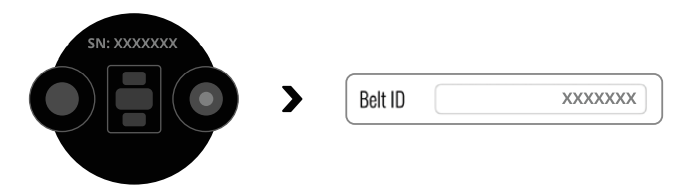
Facility Code: If you purchased your belt from a Myzone-enabled gym, you can search for their code from the registration page. If you purchased your belt directly from Myzone and do not belong to a partner gym, you can find a regional code here: Regional Country Facility Codes.
Already have an account? Simply edit your belt serial number in the app: Settings >My Profile > Belt ID). The SN is located on the back of the Switch module and the bottom of the box.
2. Wear Your MZ-Switch 3 Ways
For the wrist and forearm only, press and hold the pulse button to activate--a green light will flash and you will hear 1 beep.
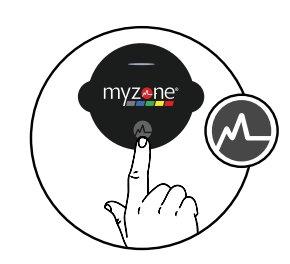
Wrist: Use for non-gripping activity and repeatable movements, including swimming.
Slide your hand through the loop and pull the strap to tighten against your skin. The module should be positioned two fingers above your wrist bone. Ensure the band is comfortably snug.
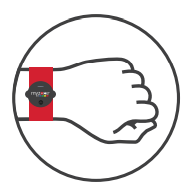
Forearm: Use for improved accuracy during non-gripping activity and repeatable movements,
except swimming.
Slide your hand through the loop and position just beneath the elbow with the module facing out.
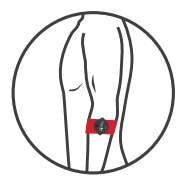
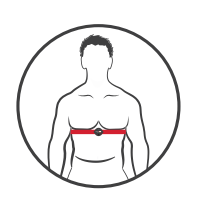
Chest: Use for the most accurate readings during all types of exercises except swimming.
Place the strap around your body. Position the module over your sternum and ensure the sensors on the back of the strap have direct skin contact. Wet the sensors for better conductivity. The belt activates once it detects your heart. No need for the power button here--you will hear it beep off once it detects your heart rate via EKG if you do press it. It will beep on again momentarily, but to avoid confusion, also avoid the power button in chest mode.
3. Switching
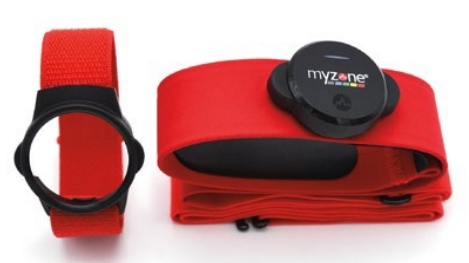
When you switch to chest mode, simply release the module from the arm or wrist cradle by pressing down. Snap the module onto the red strap around your chest.
5. Connect and Upload data
First, ensure Bluetooth is turned on in your phone settings – do not pair your belt directly under settings. Open the Myzone app to view your live tile under ‘Workout.’ Any time your MZ-Switch is streaming to either your app or in-club display, your data will upload as you go.
To upload stored data, keep the MZ-Switch on and open your app. Check your live tile on the workout screen to ensure it is sending data to your app. Once you see your workout summary shown in your live tile there, you know your upload is complete. Now you can head to the home feed--it will prompt you to name the session and a picture.
6. Charging
Snap the USB charging cable to the back of your MZ-Switch. A light will pulse red to indicate charging.
Once fully charged, the light will turn solid green.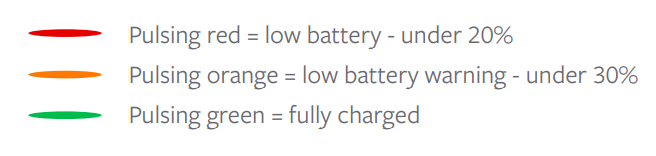
You will also receive a notification in the app when you are below 20%. Use a 5-volt adapter;
do not use a 9-volt adapter as this can damage the module.
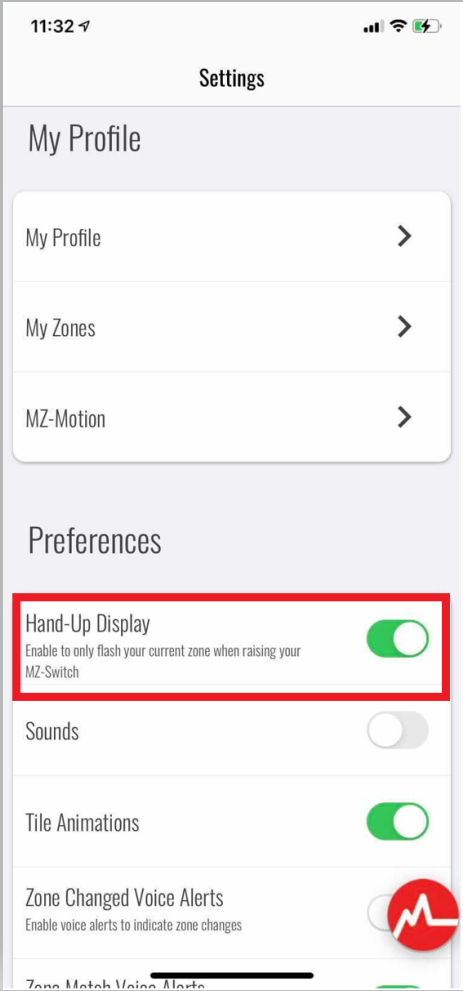
To extend battery life, you can set your module to flash your zone only when you raise your wrist.
To enable this feature, go to Settings> Preferences> Toggle Hand-Up Display on.
7. Washing
The straps are safe in the washing machine in cold water on the gentle cycle, but hand-washing may extend its life. Always air dry--do not place in the dryer. Straps, like other athletic clothing, will need to be replaced after long periods of regular use. Visit buy.myzone.org if you would like some spares or need a new one.
For more helpful articles, or to get in touch with our team visit here.